
ASUS ZenBeam L2 Review: Sharp Auto Setup, but Do Not Trust the 960-Lumen Number
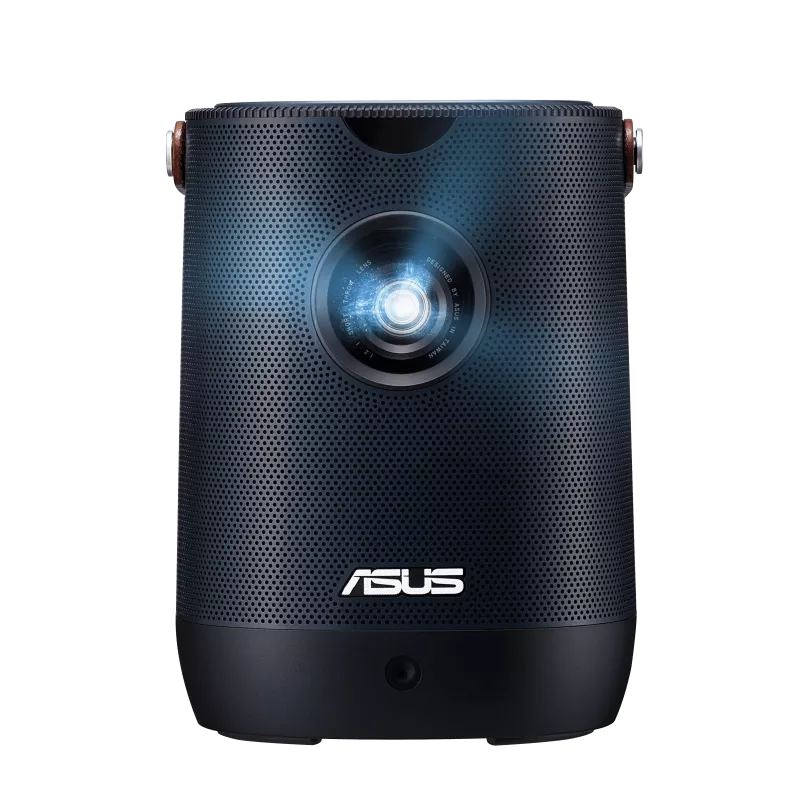
Image: © ASUS
ASUS advertises the ZenBeam L2 at 960 LED lumens, a figure that sits near the top of nearly every listing and spec sheet for this projector. It is also a number this site will not repeat as if it means what an ANSI or ISO lumen rating means. ASUS publishes the more useful figure lower on that same spec sheet: 400 ANSI lumens, the rating that actually predicts how bright this projector looks on a wall.
That gap between the headline number and the honest one is not a reason to skip the ZenBeam L2. It is a reason to look past the marketing at what the projector does well: autofocus that locks in within seconds, keystone and four-corner correction that reset themselves the moment the unit is nudged, and a 65Wh battery built into a well-made, award-winning body. The ASUS ZenBeam L2 is a new addition to this site’s Mini lineup, and the L2 has secured its spot on the strength of that setup speed rather than any number printed in bold on the box.
Quick Verdict
| Category | ASUS ZenBeam L2 |
|---|---|
| Best for | Buyers who want one of the fastest auto setups in the Mini class and are comfortable judging brightness by the ANSI rating rather than the marketing number |
| Projector type | Battery-powered mini projector with a detachable Android TV streaming box |
| Brightness | 400 ANSI lumens (rated); marketed separately as 960 LED lumens, a different, non-comparable figure |
| Native resolution | 1920 x 1080 Full HD, accepts 4K input |
| Light source | RGB LED via 0.23-inch DLP chip, rated 30,000-hour lifespan |
| Contrast | 400:1 (manufacturer rated) |
| Throw ratio | 1.2:1 |
| Supported image size | 30 to 120 inches |
| Streaming system | Included Google-certified Android TV box (not integrated into the projector itself) |
| Netflix support | Preloaded on the included Android TV box |
| Power | Built-in 65Wh battery, rated up to 3.5 hours in Battery Low mode, plus AC power |
| Main strength | Fast, largely hands-off setup: autofocus, auto keystone, and four-corner correction all work automatically within seconds |
| Main weakness | Input lag measured near 79 milliseconds; ASUS has confirmed it was not designed with gaming in mind |
| Better alternative if | Choose the TCL PlayCube if integrated Google TV and a slightly longer battery matter more to you than sub-3-second autofocus precision |
As an Amazon Associate, we may earn from qualifying purchases. This does not affect which projectors we recommend.
Pick This If / Skip This If
Pick This If
- You want one of the fastest, most accurate auto setups in this class, with autofocus, auto keystone, and four-corner correction working together in seconds.
- A 3.5-hour built-in battery and an included carrying bag matter more to you than squeezing out the absolute brightest picture.
- You are comfortable treating “960 LED lumens” as a marketing figure and basing your brightness expectations on the 400 ANSI lumen rating instead.
- You want the full Android TV app library, including Netflix, Disney+, and HBO Max, through the included Android TV box without buying another streaming device.
- You appreciate small design touches like the Light Wall ambient projections and a well-built, award-winning body.
Skip This If
- You need sharp, responsive gameplay. Measured input lag comes in near 79 milliseconds, and ASUS has said this model was not designed with gaming in mind.
- You want a single, unified smart TV interface rather than a separate Android TV box that has to be seated in place before use.
- You need the loudest possible built-in sound. The 10W speaker is underpowered at higher volumes.
- You are shopping strictly by price. This sits at a premium relative to most minis on this site.
- You plan to use USB flash drives or USB keyboards directly with the projector. Testing found compatibility gaps with both.
Specs and Configuration
| Spec | ASUS ZenBeam L2 |
|---|---|
| Projector category | Battery-powered mini projector with detachable Android TV box |
| Brightness | 400 ANSI lumens (rated); 960 LED lumens (marketing figure, not ANSI-equivalent) |
| Native resolution | 1920 x 1080 Full HD |
| 4K input | Accepted up to 3840×2160, downscaled and displayed at 1080p |
| Light source | RGB LED, rated 30,000-hour lifespan |
| Display technology | 0.23-inch DLP chip |
| Contrast | 400:1 (manufacturer rated) |
| Color | 120% sRGB color saturation (NTSC measure, per manufacturer) |
| HDR | HDR10 compatible |
| Throw ratio | 1.2:1, projection distance 0.8 to 3.2 meters |
| Recommended screen size | 30 to 120 inches listed; testing found the image loses punch past about 80 inches |
| Focus | Automatic, locks in within seconds via front-mounted sensor |
| Keystone and correction | Auto H/V keystone (plus or minus 40 degrees vertical, 30 degrees horizontal), four-corner adjustment, auto obstacle avoidance |
| Streaming system | Included Google-certified Android TV box with preloaded Netflix, Chromecast, and Google Assistant via remote |
| Battery | Built-in 65Wh, 6-cell lithium-ion, rated up to 3.5 hours in Battery Low mode |
| Charging | USB-C; approximately 2 hours to recharge fully |
| Audio | 10W speaker, Harman Kardon audio tuning with Smart AMP technology |
| Ports | 1x HDMI 2.0, 2x USB-C (1 power in, 1 DisplayPort Alt mode with PD), 1x USB-A (power out), 3.5mm audio output, internal micro-HDMI and micro-USB for the Android TV box |
| Wireless | Provided through the included Android TV box (Wi-Fi, Bluetooth, Chromecast); no independent Wi-Fi radio in the projector itself |
| Noise level | Rated 28dBA (Eco/Low) to 30dBA (Standard); close-range testing recorded higher peaks at maximum brightness |
| Power consumption | Under 90W maximum; under 0.5W in standby |
| Mounting | Pull-out foot tilts 4 or 8 degrees; threaded mount point for tripod or ceiling mount |
| Included accessories | Android TV box, remote with AAA batteries, power cord and adapter, padded carrying bag |
| Weight | About 1.57kg (3.5 lb) net |
| Dimensions | About 132 x 172 x 132mm (5.2 x 6.8 x 5.2 inches) |
| Awards | CES 2023 Innovation Award honoree; 2023 Red Dot Design Award winner |
| Warranty | 2 years |
Treat 400 ANSI lumens as the number that belongs in any comparison with other projectors on this site. It is measured against a real industry standard, unlike the 960 LED lumens figure ASUS features more prominently in its own marketing. See our ANSI lumens vs LED lumens guide for the full explanation of why the two numbers cannot be compared directly.
How We Evaluated the ASUS ZenBeam L2
We evaluated the ZenBeam L2 against ASUS’s own published spec sheet for baseline hardware claims, alongside measured performance for the numbers that matter most: ANSI lumens across every picture mode, battery runtime under real use, fan noise, and input lag captured with a dedicated lag tester. Build quality, streaming setup, and day-to-day usability rounded out the evaluation.
Where a claim could not be traced to ASUS’s spec sheet or verified measured testing, it was left out rather than guessed at. For the full framework behind that approach, see how we test projectors.
Category Fit: An Auto-Setup Mini for Movie Nights and Party Games
ASUS is a new name in this site’s Mini lineup, and the ZenBeam L2 has claimed its place here for two fairly different reasons. As an auto-setup pick, the case is simple to state: testing clocked its autofocus at about three seconds, and its combination of auto keystone plus four-corner correction resets itself continuously as the projector is moved or bumped, a level of hands-off setup that few competitors in this price range match.
As a pick for casual gaming and party use, the case rests on a narrower foundation, and it deserves to be stated plainly rather than stretched. Lab testing and ASUS’s own team both describe competitive gaming as something this projector was not built for. What it is built for is casual, group-friendly entertainment: a full Android TV app library, a 3.5-hour battery, a padded carrying case, and Light Wall ambient projections that are more about setting a mood than displaying content. For trivia nights, karaoke, slower-paced party games, and shared movie nights, that combination holds up well even though it will not satisfy anyone chasing competitive-grade responsiveness.
It stays inside this site’s Mini category on solid footing: a real internal battery, a body under four pounds, and a form factor built to move between rooms and houses rather than live plugged in permanently. Buyers who need a bright-room picture or verified low input lag for reactive gaming should look toward this site’s Portable lineup instead, where brightness and latency take priority over portability.
Picture Quality and Brightness
Start with the number that matters. ASUS rates the ZenBeam L2 at 400 ANSI lumens, and measured performance puts a peak of 452 ANSI lumens in the projector’s brightest Bright mode, about 13 percent over spec. That is the figure worth placing next to any other mini projector on this site. The 960 LED lumens number that headlines ASUS’s own marketing measures something different: LED lumens run at roughly 2.4 times the equivalent ANSI figure for this exact projector. Treat the marketing number as noise and the ANSI number as the signal.
The picture has genuine strengths once expectations are set correctly. The DLP imager is one of the better ones in this class, with good contrast and natural skin tones in Standard and Theater modes, though Bright mode itself skews noticeably green and is worth avoiding for anything color-sensitive. Color saturation is impressive across the image, and the panel rates highly relative to the projector’s price.
Resolution holds up accurately as well. The panel is native 1920×1080 Full HD, and while the HDMI input accepts a 4K signal, the projector downscales it to 1080p rather than displaying true 4K, the same distinction this site applies to every mini projector it reviews.
Screen size runs from 30 to 120 inches on ASUS’s own spec sheet, but measured performance shows the image losing meaningful punch past about 80 inches diagonal. Treat 80 inches as the realistic ceiling outside a fully darkened room, and run your own space through our mini projector screen size guide before settling on a wall or screen. If you expect brighter living-room performance or regularly watch with ambient light, compare it with the projectors in our Best Portable Projector guide and read our Portable Projector Buying Guide to understand when stepping up to a brighter portable model makes more sense.
Streaming and the Android TV Box
Most projectors on this site build streaming software directly into the unit. The ZenBeam L2 takes a different route: it ships with a small, detachable Android TV box that slots into a hidden bay under the projector’s lid. Google has certified the box, Netflix comes preloaded, and Android TV’s library opens up more than 7,000 apps, including Disney+, Prime Video, HBO Max, Paramount+, and lesser-known services like Tubi.
The trade-off is one extra step most integrated smart projectors skip: seating the box in place before first use, plus two separate menu systems, one for the projector’s own picture settings and another for Android TV. Early units needed a firmware update before voice commands and Bluetooth pairing worked reliably, an issue that should already be resolved on current production units but is worth knowing about regardless.
As with any Android TV device, treat app availability as something that can shift over time, and keep a Fire TV Stick or Chromecast dongle on hand as a backup for whichever service matters most to your household.
Setup and Portability
Setup is where the ZenBeam L2 makes its strongest case. A front-mounted camera and sensor array project reference targets, then apply autofocus, automatic keystone correction, and four-corner geometric correction within seconds of the projector detecting movement. Repeated attempts to beat the automatic routine by hand were unable to do better after several tries.
A pull-out foot at the base tilts the projector 4 or 8 degrees for rough angling, and a threaded mount point underneath accepts a standard tripod or ceiling mount. The whole unit weighs about 3.5 pounds and ships with a padded carrying bag with room for the remote and power adapter, useful for anything beyond a move to the next room.
The automatic correction is not flawless on every surface. The keystone adjustment occasionally overcorrects on painted walls, and manual fine-tuning is sometimes necessary. Treat the auto setup as very good and fast rather than perfect on every surface.
Battery Life
A 65Wh, 6-cell lithium-ion battery sits inside the ZenBeam L2, rated by ASUS at up to 3.5 hours on its dimmest Battery Low setting. Measured testing on the brighter Battery Middle setting recorded 2 hours and 51 minutes of runtime, still enough for a full movie with room to spare. A full recharge takes roughly 2 hours.
Battery power comes with a real brightness cost. ASUS’s own battery settings measured at 144, 209, and 283 ANSI lumens for Low, Middle, and High respectively, a meaningful step down from the 400 ANSI lumen rating on AC power. Plan on plugging in for anything that needs to look its brightest, and treat the battery as built for movies and casual party use rather than a bright-room presentation.
Sound Quality
A 10-watt speaker tuned by Harman Kardon, with Smart AMP technology built in, handles audio duties. The sound is acceptable but unremarkable for a small projector, thin on bass and midrange richness once pushed toward higher volumes. It never quite feels loud enough to impress in anything larger than a small room.
Bluetooth pairing to an external speaker or soundbar is built in and worked reliably in testing with a standard soundbar, alongside a 3.5mm output for a wired connection. For anything beyond a bedroom or a small gathering, planning on an external speaker is the safer bet.
Gaming Use
This is the section where the ZenBeam L2’s gaming and party positioning needs an honest asterisk. Measured input lag came in at 78.8 milliseconds using a dedicated lag tester, and ASUS has confirmed the L2 was not designed with gaming as a priority. Selecting the projector’s Game picture mode adjusts color and contrast settings but does not lower that latency.
That number rules out competitive or fast-reaction titles. It does not rule out casual, slower-paced gaming, and it does not undercut what this projector is actually strong at: party games and group entertainment, and movie nights that do not live or die on split-second response, trivia formats, party card game apps, karaoke, and the kind of shared-screen movie or show night that a battery-powered projector with fast setup is built for.
If reactive, competitive gaming is the main reason you are shopping, look at this site’s Portable gaming projectors instead, where low input lag is a design priority rather than an afterthought.
Strengths and Weaknesses in Practice
The ZenBeam L2 stands out as the most improved projector in ASUS’s ZenBeam line, with a real jump in resolution and brightness over its predecessor, though it did not work with any of the USB keyboards tested. Build quality and battery life are particular strengths, offset by an Android TV box that needed a firmware update to work smoothly and an internal speaker that stayed average even after that fix.
The overall pattern is consistent: strong build quality, a legitimately fast setup process, and a battery that outlasts most direct competitors, offset by an add-on smart TV experience that takes an extra step to assemble and a speaker that will not fill a large room on its own.
Which Complaints Are Genuine?
| Complaint pattern | Genuine issue or expectation problem? | How to interpret it |
|---|---|---|
| Brightness is lower than the 960-lumen number suggests | Expectation problem | The honest figure is 400 ANSI lumens; 960 is a different, non-comparable LED metric |
| Input lag feels noticeable in games | Genuine | Measured near 79 milliseconds; ASUS has confirmed the L2 was not designed for gaming |
| Android TV box needed a firmware update to work well | Genuine, largely resolved | Reported at launch; current units should ship with the fix applied |
| Speaker is not loud enough for a larger room | Genuine | Consistent in testing; pair a Bluetooth speaker for anything beyond a small gathering |
| Keystone occasionally overcorrects | Genuine, situational | Most noticeable on painted or textured walls; manual adjustment is available |
| Does not work with USB keyboards or flash-drive playback | Genuine limitation | Confirmed in testing; plan on using the remote for text entry |
Best Alternatives
| Alternative | Better if you want | Why the ZenBeam L2 may still be better |
|---|---|---|
| TCL PlayCube | Integrated Google TV and a slightly larger battery in a single streamlined package | ZenBeam L2’s autofocus and keystone correction are faster and more precise |
| Epson Lifestudio Pop EF-61 | An established projector-first brand’s LED light engine, without a battery to manage | ZenBeam L2 stays untethered for movie night wherever you decide to set it up |
| XGIMI Halo+ (GTV) | Brighter ISO-rated output and integrated Google TV | ZenBeam L2 matches or exceeds it on most features at a lower price, though the Halo+ remains the brighter of the two |
| Best Portable Projector | Verified low input lag for competitive gaming | ZenBeam L2 stays lighter and faster to set up for casual, non-competitive use |
Who Should Buy the ASUS ZenBeam L2?
A fast, accurate, mostly hands-off setup, autofocus, keystone, and four-corner correction all working automatically, matters more than the biggest lumen number on the box for the right ASUS ZenBeam L2 buyer. It suits movie nights, casual party games, and anyone who wants Netflix, Disney+, and the rest of the Android TV library working within minutes of unpacking the projector, wherever that happens to be.
A competitive gaming display, a single unified smart TV interface, or a speaker loud enough to fill a large room without help, buyers chasing any of those should look elsewhere among this site’s mini and portable reviews.
Final Verdict
The ASUS ZenBeam L2 makes its case with hardware rather than marketing. Ignore the 960 LED lumens marketing number, and what remains is a well-built 400 ANSI lumen mini projector with some of the fastest, most accurate auto setup in its class, a battery that comfortably covers a full movie, and a well-built, award-winning body backed by an unusually long two-year warranty.
Its trade-offs are stated plainly rather than buried. Input lag near 79 milliseconds rules out competitive gaming, the detachable Android TV box adds a small assembly step most integrated smart projectors skip, and the built-in speaker will not fill a large room on its own. For buyers who value setup speed and portability over maximum brightness or gaming performance, it is an easy projector to recommend, provided the shopping decision is based on the 400 ANSI lumen rating and not the number ASUS prints in bigger type.
FAQs
Is the ASUS ZenBeam L2’s brightness rated in ANSI or LED lumens?
Both, and they mean different things. ASUS rates it at 400 ANSI lumens, the industry-standard measurement, and separately markets it at 960 LED lumens, a different, non-comparable figure. Use the 400 ANSI number when comparing it against other projectors.
Does the ASUS ZenBeam L2 have Google TV built in?
Not directly. It ships with a separate, Google-certified Android TV box that fits into a bay under the projector’s lid, with Netflix preloaded and access to more than 7,000 apps.
Is the ASUS ZenBeam L2 good for gaming?
It is fine for casual, slower-paced gaming, but measured testing found input lag at nearly 79 milliseconds, and ASUS has confirmed the projector was not designed with gaming as a priority. Competitive or fast-reaction titles are better served elsewhere.
How long does the ASUS ZenBeam L2 battery last?
ASUS rates its 65Wh battery at up to 3.5 hours in the dimmest Battery Low mode. Testing on a brighter setting measured about 2 hours and 51 minutes, still enough for a full movie.
What is the difference between the ASUS ZenBeam L2 and the TCL PlayCube?
Both are battery-powered Mini projectors with automatic setup features, but the PlayCube integrates Google TV directly into the projector and edges ahead on battery capacity, while the ZenBeam L2 offers faster, more precise autofocus and keystone correction along with a swappable Android TV box.
Does the ASUS ZenBeam L2 include a carrying case?
Yes. It ships with a padded fabric carrying bag with room for the remote control and power adapter, along with a two-year manufacturer warranty.